Saturday, February 1, 2020

New Content Released at Genealogy Guys Learn

It's the beginning of February and we have released four new lessons and webinars for our subscribers at Genealogy Guys Learn.

In the written Courses, we have published:

  • Swedish Household Examination Records - Sweden used church parish visitations of every household and record information about every individual. MyHeritage has published the images in a collection titled "Swedish Household Examination Books, 1880-1920" and they are an every-year record of each household.
  • Anglican Parish Registers in England - This course traces the implementation of mandatory maintenance of Anglican parish registers from their implementation under King Henry VIII, where to locate them, the information included, and how to use them in your research. 
In the Video area, we have published:
  • Transitioning to a Professional Full-Time Genealogy Career - This video presents the important considerations about developing a business plan and a marketing plan, how to set up your business offerings, organization of records, accounting considerations, and more.
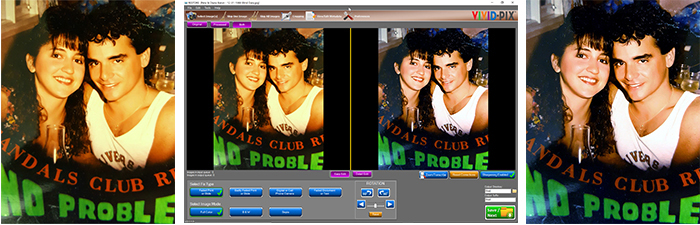
  • Tutorial for Vivid-Pix RESTORE for the PC - We have provided links to the official Vivid-Pix tutorials on their website. From this page, you can Access and Watch those videos. The software versions for the PC and Mac differ a little from one another but Mac users will quickly be able to use the PC tutorials to work with the Mac version. We'll be posting a set of tutorials for the Mac version here later in 2020.
We hope you enjoy this month's new content. Subscribe to Genealogy Guys Learn and look for more content each month.


IAMM & FamilySearch Launch Month-Long African-American Research Partnership

Happy Black History Month!

Toni Carrier of the International African American Museum (IAAM) currently under construction in Charleston, South Carolina, has announced a collaboration with FamilySearch called "Finding Your Black Roots: 29 Ways in 29 Days".

Each day in February, FamilySearch and the IAAM Center for Family History will feature a different FamilySearch collection that is especially helpful for tracing African American roots. IAAM CFH will blog about that day’s collection to give you an overview of what’s in the collection and how to use it in your research. Here is our page where you can read each day’s blog post: https://cfh.iaamuseum.org/black-history-month/ .


And be sure to visit the IAAM's website at https://iaamuseum.org/ for excellent information and content.

Vivid-Pix Recipe for a Great Valentine's Day Card

Our sponsor, Vivid-Pix, always has great ideas for how to use imaging software. Rick Voight, co-founder of the company shared the following way to create an exquisite, unforgettable Valentine's Day card that is sure to become a treasured family heirloom.  Read on.

Maureen-Taylor-mom-crop-photobook
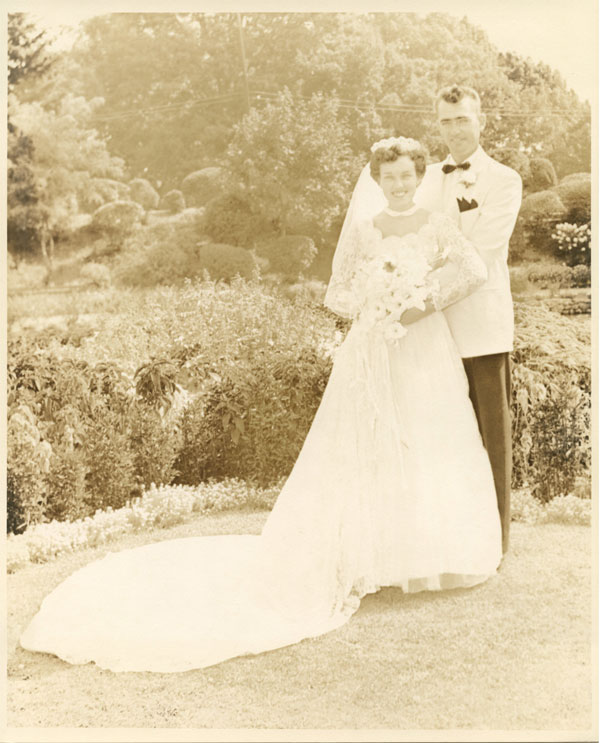
Our friend Maureen Taylor, The Photo Detective, shared a lovely (and terrible) story about her parent’s wedding album. “While all old photo albums fade with age, Mom’s was the worst! – The film processing or printing was done poorly and mom never really enjoyed her wedding album."
Last year for Christmas, Maureen scanned the photos and RESTORE-d them. “Mom was thrilled.”
We are happy to share this story and to turn it into a Create Treasured Gifts – FOR FREE recipe:

1. Select a favorite photo and/or document.
Maureen Taylor mom wedding photo Before

2. Scan the photo or use one you’ve already scanned (set resolution for at least 300 dpi).
a. Use a portable scanner, a miniature scanner, or a mobile scanner such as Flip-Pal.
b. Use a dedicated scanner or your office All-in-One printer.

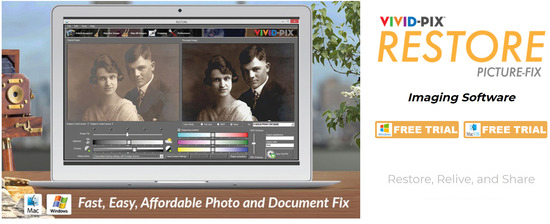
3. Download a Free Trial of RESTORE  (Enter Coupon code 3GenealogyGuys3R)
a. Software is available for Mac and Windows.
b. No credit card required.
c. Free Trial allows you to fix 10 pics and/or documents.
d. Use RESTORE's cropping feature and create the perfect 5x7 or 8x10.
restore freetrial screen shot

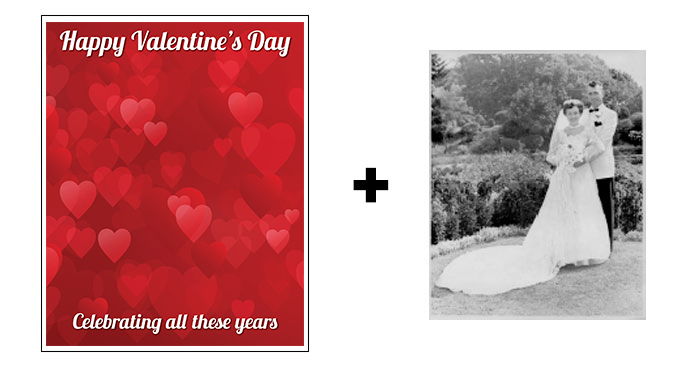
4. Download the below Microsoft Word editable template and add photo.
 template
5. Open Word template
a. Right-Click on the photo.
b. Select "Change Picture > From a file".
c. Choose your image and save.

6. Print!
a. Print on your home printer (use photo paper for best results).
b. Save on a thumb drive or SD card and print at a store.
c. Order online – there are many options – including vivid-pix-prints.com
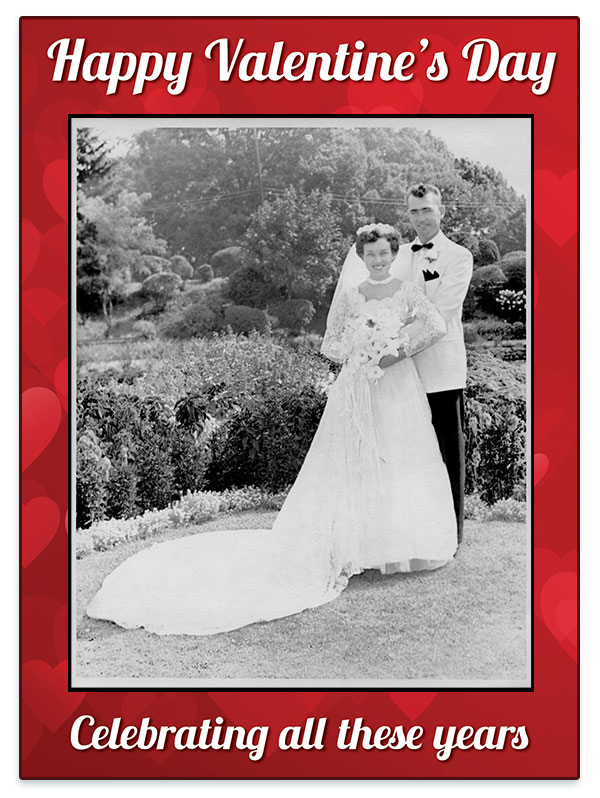
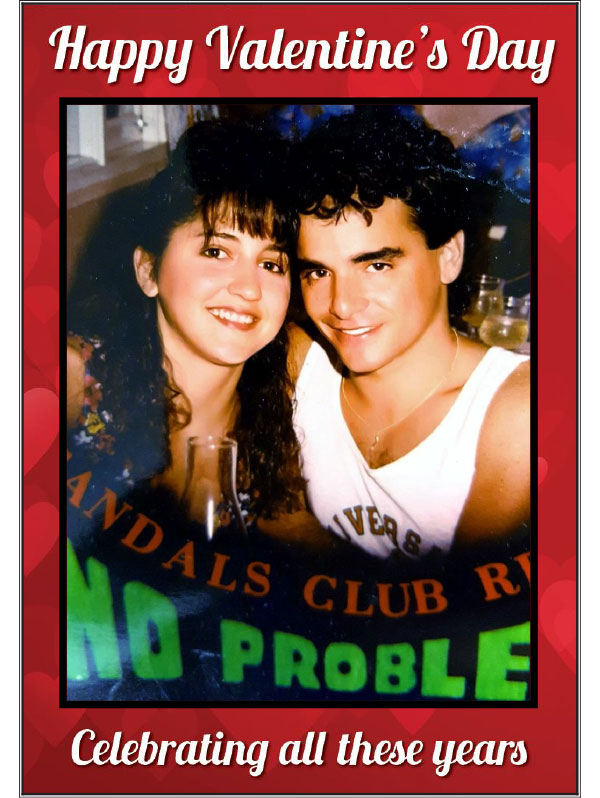
V Day Card 1

Now you are ready to give this Treasured Gift!

Photo gifts can be more current photos, too – Blind Date 1988!

Pete Diana Baron BA

Pete Diana Baron V Day

Want to try other recipes? Visit us at: vivid-pix.com/treasuredgifts

tag line footer


Friday, January 31, 2020

Day 31: Organize Your Remaining Problem Areas


During the past month, you have been exposed each day to suggestions for organizing some aspect of your genealogical research, but that also usually applied to optimizing your physical and virtual workspaces for your regular job, your home/family management, and your other hobbies. Again, the idea was never that you would complete all aspects of organizing each day, but that instead you would use the day to think about a particular topic and make a long-term plan to organize in that area. This may take additional days, weeks, and months. (Yes, for a few areas of your life, it might even take years.)

But there are bound to be some areas that weren't touched on during the past 30 days. What other areas of your genealogy hobby or business do you feel need to be better organized? Share your questions in response to the blog posts (or to the Facebook comments area where the blog posts have been linked). Others may have ideas of how they deal with that problem area. And you'll be giving me ideas on topics to think about, research, and blog about in the coming months.

A few final points: First, don't beat yourself up about any of this. We all go through periods of disorganization in different areas of our lives. We can all do better, and if we put our mind to it, we'll be successful. Second, avoid the excuse that you lack the time to organize. Organizing is a way that you can invest your time in order to save much more time later. Third, don't be shy about asking for help and advice. One of the best things you can do for your fellow genealogists is to make them feel needed and useful by helping you with your organizational problems.

I have appreciated your comments and feedback throughout the month, and I hope that you have found at least one post in this series useful. Thanks for being part of this month!

Thursday, January 30, 2020

Day 30: Organize Your Research Projects


On Day 15, we talked about your to-do list. On Day 28, we talked about your research goals. But there's one missing piece that goes in-between: your research projects.

Your goal defines where you want to end up. It is your destination. Your to-do list identifies the very specific actions that you need to do each day. But to get to your goal, you need a project. You need to make that long list of specific tasks, decide on which ones need to be done, in what order, and on what days. Some tasks can be done tomorrow. Others may have to wait weeks or months, depending upon how earlier tasks go, upon how much time you have on your calendar, and upon what other people (collaborators, repository staff, etc.) do and when they do it.

Beginner goals might involve simple projects and may take only a few months to accomplish. Goals created by experienced researchers might require elaborate projects that, if carried out correctly, might take a full year or more.

If your project is elaborate, you will need to take the big project and divide it into smaller sub-projects, and then keep on dividing until you get to those very specific tasks. You'll want to set due dates for each project piece, so that you can stay on track and not waste time. Yes, real life and unexpected issues can get in the way, so you'll need to prepare for extending the timeline if things interfere. But who knows? Perhaps things will go more quickly than you originally expected, and you can change the timeline to move the final due date earlier than you had planned.

Define your research goals. Create your research projects. And identify your research tasks. Get from start to finish.

Wednesday, January 29, 2020

Day 29: Organize Your Genealogy Expenses


Nearly all hobbies come with some sort of cost. Genealogy is no exception. While you can engage in genealogical research at a minimal cost, using an existing home computer, free software, free online databases, and how-to books checked out from your public library, you are more likely to want to spend a bit more in order to make more progress and get greater enjoyment.

Here are just some of the genealogical things that you may choose to spend money for: a newer computer with extra memory and with an extra large-screen display; a printer/scanner; office supplies; computer furniture; a good-quality office chair; filing storage furniture; computer software; database subscriptions; document requests; educational subscriptions; books; magazine subscriptions; local, state, and national society memberships; registration, travel, and hotel expenses for conferences and research trips; and professional research services. This is by no means an exhaustive list, but it covers the most common genealogical expenses.

None of us has unlimited financial resources, and we are usually juggling all kinds of other demands on our income. This means that you will want to set up an overall budget for you and your household, and then decide what portion of that can be applied to your hobby of genealogy. Two of the most popular budgeting services are Mint and You Need a Budget (YNAB). These can be linked directly to your financial accounts and allow you to identify where your money is going.

By using budget apps, you can decide in advance how much you want to be spending on genealogy, and then you can stay within your allotted amounts without the worry that you may be overspending. This will free you up to know when you can afford that book or software that you want.

Tuesday, January 28, 2020

Day 28: Organize Your Research Goals


In episode #373 of The Genealogy Guys Podcast, Cyndi Ingle talked about thinking of your end goal. The point is that we often spend a lot of time working on things without considering what we are trying to accomplish. Our sense of what we are doing and why may be too vague. When we begin a new year or a new quarter, it's an ideal time to consider and reconsider what we are working toward.

If you're a new genealogist, you might have one very simple goal. You might be trying to identify all of your 8 great-grandparents, or you might be wanting to work on a particular surname line to take it back as far as you can go. If you're a more experienced genealogist, you might have a few brick walls that you want to focus your time and energy on. Choose a goal that is appropriate to your skill level, so that you won't be overwhelmed, but that is interesting enough to keep you motivated to complete it.

Yes, it's fine to have more than one goal, but be careful not to have too many. When you have too many goals, you'll be switching your focus between them so often that you won't make any real progress on any of them. I would suggest no more than 3 goals per quarter. At the end of the quarter, you can see if you're still interested in all 3 goals, and if not, swap one or more of them out with a new goal.

Research shows that we are more likely to reach our goals when we write them down. Put your written goals somewhere that you can see them every day, such as on a whiteboard or a piece of paper pinned to a corkboard. Or use it as your computer's desktop background. In this way, you'll have a little bit of extra motivation each time you sit down at your computer to do genealogical research. You'll be less likely to go off on tangents that won't help you achieve your goals.